Showing posts with label Best 2016. Show all posts

Friday, 25 March 2016

How To Make Whatsapp Service Free For Lifetime – 2016

Whatsapp is a most popular and widely used Messenger app on smartphones. Whatsapp is highly downloadable mobile application. Every internet user prefer to use messenger apps like whatsapp instead of doing sms. Their number of best messenger apps for android device. But from all them whatsapp become most popular platform. Even we can download whatsapp on PC.  But widely whatsapp is used for texting on mobile. We can easily share files on whatsapp and do texting and calling for with our contacts. But to do chat our contacts must have whatsapp also. Whatsapp messenger is products of Facebook. But the most common issues which are now in trend for whatsapp is, it yearly subscription. We all knowwhatsapp service for lifetime is not available. Whatsapp provide 1 year subscription which we have to extent buy paying $1 for each year as service charge.
Earn Money Use This


How To Make Whatsapp Service Free For Lifetime

Important Update:-  Recently Whatsapp Announced that their are make whatsapp service free for lifetime for all users and also it will stay ad free messenger. So now you don’t need to follow any particular task. If you want to confirm your whatsapp service is free for lifetime or not then you can check at payment info options.
If you are currently using whatsapp on your device then your free service time period should be going on. As You can check your current subscription time period as following.
  • Open Your whatsapp account then go to settings tab >> Then Account tab >> Payment info.
  • Now Check out your current service expiration time period. If your is any specific date that means it not lifetime. If they shown lifetime then you don’t need worry about anything. As you can see below whatsapp lifetime service screenshot of my account.
  • If whatsapp subscription is not currently lifetime then don’t worry. You just need to do these follow small tricky methods.
  • First of all you need to understand how whatsapp service time period works.
  • Whatsapp service assign mobile number based subscription. That means if 1 mobile number is considered as 1 account. But subscription time period depends on Mobile IMEI number or in other words device to device.
  • Now to make your whatsapp service free for particular mobile number. You need to arrange fresh device where whatsapp is never installed. Like you can use your parents, relatives etc who don’t use internet or don’t have any interest in whatsapp.  Simply ask them to give you device for 5-10 min.
  • Then you need to uninstall whatsapp account using that particular mobile XXXXXwhatsapp number which you make free for lifetime.
  • After uninstalling from previous device. Download whatsapp fresh device which you borrow. Then to activate subscription use your current XXXXX mobile number which you want to make lifetime.
  • After verifying mobile number then again check your current service time period in payment info. Then 1 year of service time period hopefully should be increased.
  • If it not works then try on other devices. Follow this process on 3,4 devices then your whatsapp time period will automatically turns into lifetime period.
  • Note:- Specially on MI devices changes to make whatsapp lifetime service subscription is more that any other like Samsung or iPhone.
    PS:- I know $0.99 is little bit amount and everyone can easily afford. So if your are not interested to do. Then its our own business. Our purpose is to help those who can afford, who are facing problem while paying online. Or young guys whose don’t able to use and many more reasons.
    I feel that this method to make whatsapp lifetime service for free which be helpful for you. I hope it works fine because i have tested this method manually to make whatsapp free for lifetime. But some how if its not working then i recommend you to pay services charges to support developers. But if you don’t able to pay then take help from someone who know more about using internet than you to pay for you.
    If you like this method then don’t forget share it with your friends.
Check whatsapp service lifetime period

Top 6 Best Screen Sharing Software For Windows PC – 2016

Remote desktop access is called controlling the another person’s PC or device through remote desktop connection. Remote desktop also refers to an software which allows the user to interact with another computer’s desktop and do anything through remote access. It is a client/server model in which there is one client PC which connects to the another client’s PC. With the help of host (called third party software) through the internet and you can manage or access the computer which are placed on different location far from you. Like if your any family person lives in different place which is far from you. They have some kind of software problem in their computer and wants your help. So you can help them with the help remote desktop & screen sharing software. While solving the problem you can feel that you are sitting in front of their PC.
Screen Sharing software let you all the authorities of another person computer, you can manage their computer files, programs and helping them to solve their problems without going out your friend’s home. Even screen recording softwareare useful to teach others. But Screen sharing software also help in business purposes for online meetings or sometimes you have to manage lots of computers in your company or solve your clients problem. So you cannot manage particular computer by  because it takes lots of time of yours to go to the particular computer and solves problem. But with the help of screen sharing software for PC you can get your access your clients PC and solve their problems by siting only at one place.

List Of Best Screen Sharing Software For PC.

#1 Team Viewer

Team Viewer is best, popular in all screen sharing software. Which helps you manage online meetings and can get access to your partner’s PC. It takes only few seconds to connect any PC or server. You can get access to your office computer from home or can also access your application and data. Team Viewer gives you different packages, for online meetings you can add up to 25 participants. you can boost your products sales by giving online presentations.
Team Viewer

#2 Mikogo.

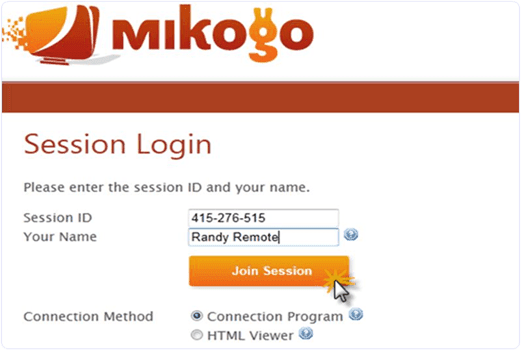
Mikogo is 100% browser based tool which helps to set up online meetings. It is free for non-commercial use and for business purposes provides different plans you can check on their website. Mikogo is an powerful and great online meeting software for set up online conferences and for online presentations. Large number of companies use mikogo for their business purposes. It is a cross platform software and you can set up meeting up to with 25 participants.
Mikogo

#3 Join.Me.

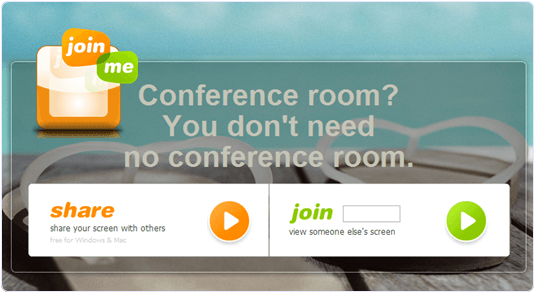
Join.me is an free, simple screen sharing software with the help of this you can manage online meeting and can share your partner’s screen. They have different plans for business user’s. For non-commercial use it is free. You can keep record of your meetings so you can share later with other participants. You can also download mobile app and take meetings where ever you are on road, on home etc.
Join.Me

#4 Ammyy Admin.

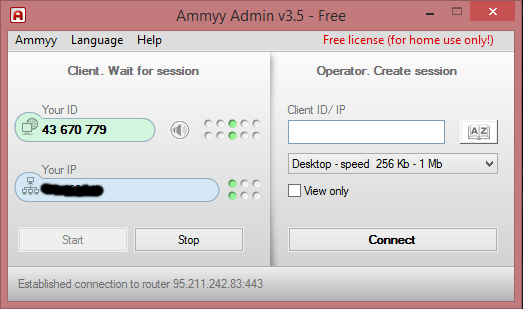
Ammyy Admin is an easily way to share a remote desktop over the internet. You don’t have to download any software just download 0.5mb tiny exe file and click on it after open it fill session ID and password and you can connect with your partner’s computer. You can also voice chat with your partner and relatives or you can send and share large number of data through Ammyy Admin. It is a free software for remote desktop connection.
Ammyy Admin

#5 LiteManager.

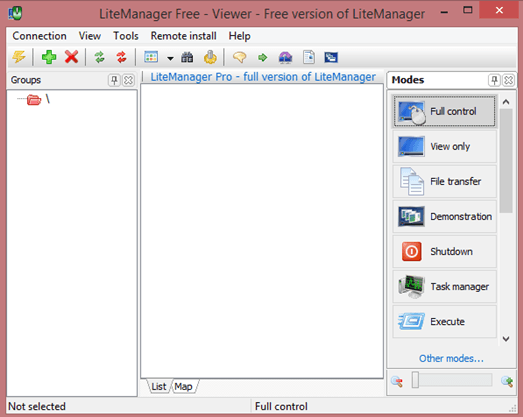
LiteManager is an remote access software which helps to connect with your partner’s computer and set up online meetings. In free version you can you can manage up to 30 computers. You can do tesxt chat, audio and video chat with your remote desktop. You can also download trial version for 30 days as well as free version for basic purposes. It is mainly designed for system administrators. It is a reliable, convenient and fast software and you can use easily.
LiteManager

#6 Screenleap.

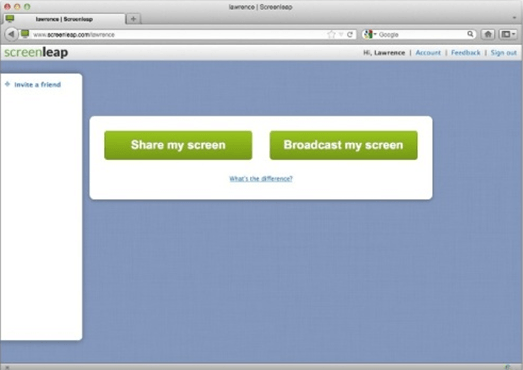
Screen leap is free and reliable software for screen sharing. For free use you can share your screen only 1/2 hours per day with maximum 8 participants. It is a quick and easy software just download it and create a session then fill session ID and password after it you can easily share your partner ID with in few seconds.
Screenleap
These are some best screen sharing software for PC. These are based on our research so if you have any best software for screen sharing which is missing in the list just leave your comment.

Top 5 Best Screen Recording Software For PC – 2016

Whenever we want to record our desktop screen we all need to use best screen recorder. But we face many problem while searching best and easy screen recording software. Just because some of then are paid and rest other provide very less features. So its not easy to find any best software which should be also free to use and having all the best quality features. Sometimes we just want to make short video tutorial in which want to record all the steps. These type software mostly used by users who want to share information online on YouTube like media. Today here we are going to list out some of the best screen recording software for PC. So if you don’t have any kind free software for video making then must check out all the below listed software which are free to use and also having too many important features.

List Of Best Screen Recording Software For PC.

#1 Screencast-o-Matic.

Screencast-o-Matic-logoScreencast-o-Matic is popular software for recording screen. I like Screencast-o-Matic just because of there amazing features and Video quality. Screencast-o-Matic is available in both version Freeware and Paid. Screencast-o-Matic freeware version having some limited access in which you can record upto 15 min video. So we can record videos along webcam also directly publish HD video on YouTube. But the only problem is Watermark in Freeware version. In Screencast-o-Matic you can edit video at any frame of second means you cut and add new seen at any frame of second. The overall performance of Screencast-o-Matic is good as compare to others.

#2 CamStudio

CamStudio logoCamStudio is another free screen recording software for Windows. CamStudio is light waited and simple software to start recording instantly. CamStudio is able to record all the screen activities and audio on computer. Camstudio is able to create Video file with AVI format and also turn those AVI into Streaming Flash Videos (SWFs). Camstudio is best software for creating short clips and video tutorials. So if want to try Camstudio then download it directly from Official Website of CamStudio.

#3 EzVid

EzVid logoEzVid is another best and famous screen recording software. EzVid provides best video quality in its freeware version. EzVid is Coolest screen recorder because of its cutting-edge effects and features. Which includes video recording, Facecam, voice synthesis, screen drawing, speed control these are some the features. All these make it best making videos which entertain, inform and enchant your viewers. In EzVid you can direct upload your video on YouTube just by single click. Since released in 2012 EzVid has been downloaded around millions of times and used to upload videos on YouTube. So if you want to try EzVid download it from official site.

#4 BlueBerry Flashback Express

BB Flashback Express logoBB Flashback express is free and useful software for screen recorder and also webcam activities. BB express having clean interface and easy to use which help to create and uploading video easily and instantly. BB express has fine screen recorder compact and high quality video tutorials. After recording video with BB it save files in FBR file format. Which you further and convert into AVI format for sharing and uploading. BB express provide free functioning for 30 days . After that you need to create a new account and register with them to continue using its services.

#5 Camtasia Studio (Paid)

Camtasia Studio logoCamtasia is most expensive video recording software in market. Camtasia is best and most popular. I just list out this software because of its popularity and features. The above 4 listed software are free to use but Camtasia is only paid and best software. Camtasia is best for screen recording and video editing software published by TechSmith. In Camtasia there are huge number features available for best video creation which you can upload and publish on YouTube and on other network. To download Camtasia visit official site of TechSmith for latest versions.
These are best screen recording software for PC which we find useful. There are many more free and paid software available in market. So just try yourself and decide which is best for you.
Back to Top